Please follow the steps below to clear your cache and cookies for truDigital.
These instructions are specific to Google Chrome, which is the browser we recommend and the one truDigital is optimized to run on.
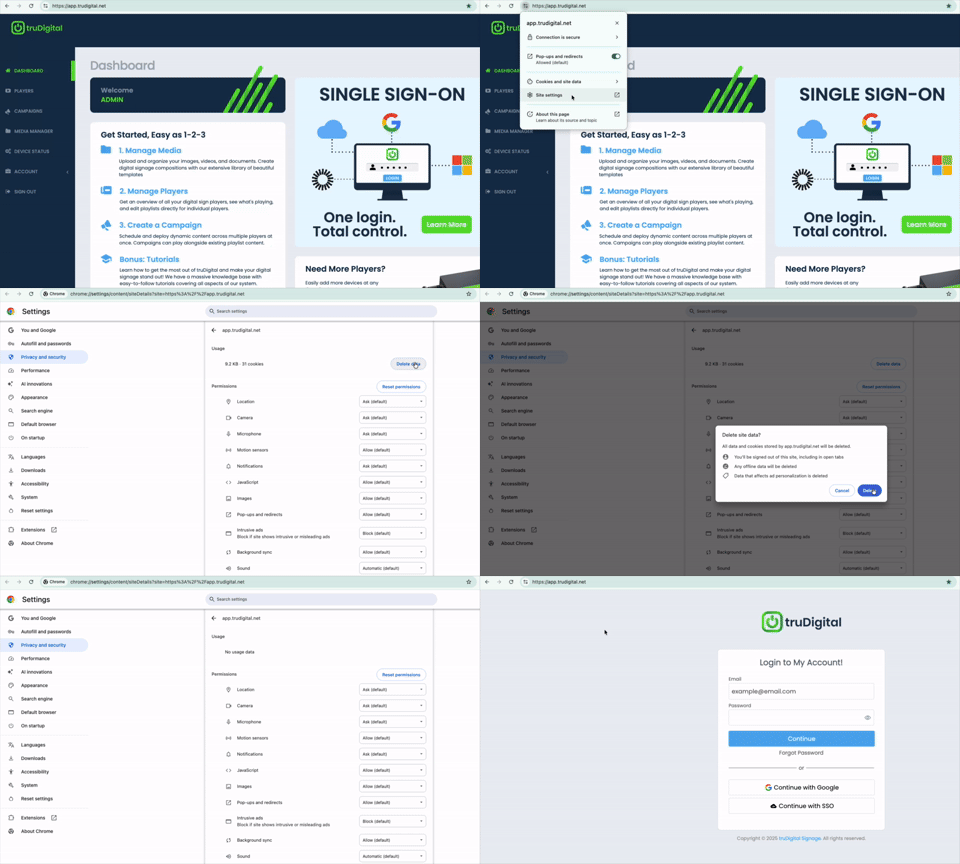
- In the top left of your browser next to app.trudigital.net, click
- select Site Settings
- click Delete Data
- Now go back to app.trudigital.net and login again

Was this article helpful?
That’s Great!
Thank you for your feedback
Sorry! We couldn't be helpful
Thank you for your feedback
Feedback sent
We appreciate your effort and will try to fix the article